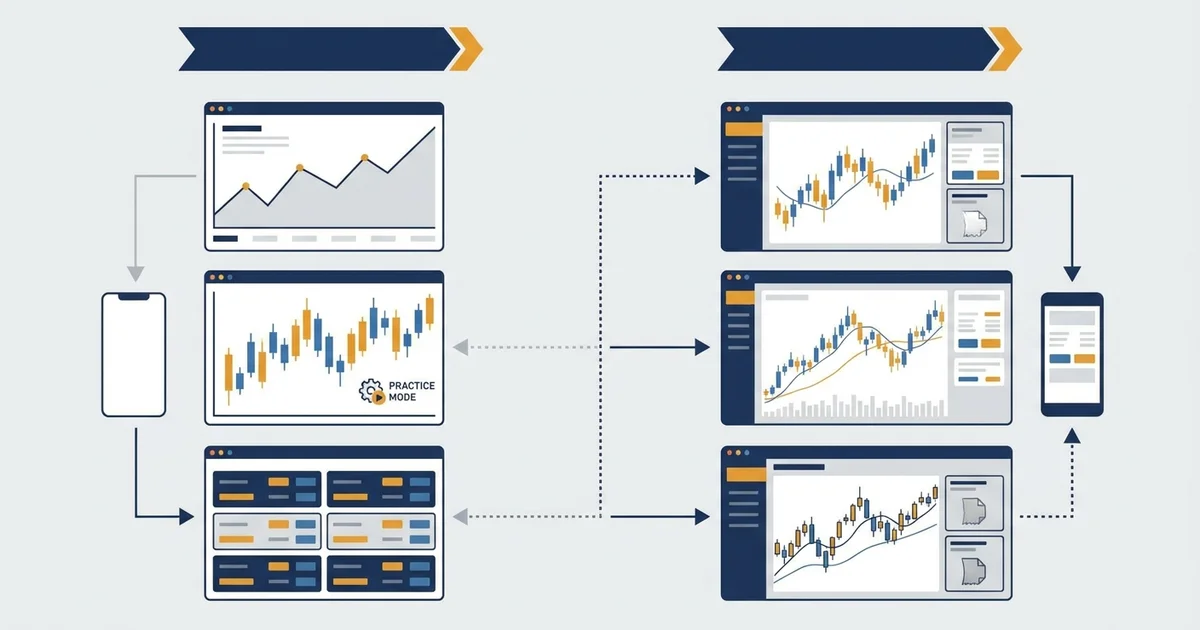

Why most traders waste their simulator time
Ninety percent of traders I’ve watched go from paper to live account fail within the first three months. Not because they didn’t practice. Because they practiced wrong.
I backtested and paper traded for 12 months before my first live trade. I was profitable on paper almost immediately. My first live month was negative. The only edge paper trading gave me was mechanical pattern recognition, not the psychology.
The problem isn’t the simulator. It’s how people use it. On paper trading, you can risk 20% of your account on a single trade and shrug. The fake money hits zero, you reset, you learn nothing about drawdown recovery or the discipline required to press the button when $600 of real money is on the line.
That said, simulators are the right starting point if you apply the same position sizing and risk rules you’d use on a real account. The tools below make that possible.
If you’re still learning the basics, read the day trading guide first. This article assumes you understand order types and basic chart reading.
The 6 best day trading simulators
TradingView Paper Trading
Best for: technical analysis practice, forex, crypto, equity index CFDs
TradingView’s paper trading is built directly into the charting platform. You can place market, limit, and stop orders on real-time charts with a virtual account starting at $100,000.
What makes it worth using: TradingView uses real-time bid/ask data from connected feeds. Your fills reflect actual market prices, not ideal mid-price fills. For EUR/USD, you’re seeing spreads that closely mirror what you’d get through a connected broker.
I used TradingView paper mode to test my EMA crossover strategy across 14 months of EUR/USD historical data. The fill quality is close enough to live trading that edge detection is reliable. One limitation: overnight swap calculations aren’t simulated. If you hold positions across sessions, your paper P&L won’t reflect rollover costs.
The Replay feature (which lets you practice on past market data day by day) is the most underused tool in the platform. Practicing on historical charts builds chart reading speed faster than waiting for live signals.
Verdict: Best free simulator for technical traders. Runs in any browser, no download required. Free plan includes paper trading access.
MetaTrader 4 / 5 Demo Account
Best for: forex, CFDs, anyone planning to trade on MT4/MT5 live
Every regulated forex broker running MT4 or MT5 offers free demo accounts. Your orders route through the broker’s actual execution engine, just without real money at risk.
The practical advantage: demo accounts use real spread data from that broker. If you test on an my broker demo with a Standard account, you’re working with 0.7-1.3 pip EUR/USD spreads, the same spreads you’d face going live. Generic simulators can’t match that accuracy.
One thing most guides don’t mention: the MT4 strategy tester’s “every tick” mode uses interpolated data points not found in real-market feeds. Backtesting results in that mode run 15-30% more optimistic than live trading shows. Use “open prices only” for realistic results.
Demo accounts on most brokers expire after 30-90 days. my broker extends them on request, which matters when you’re running a 60-day paper trading program.
Verdict: Essential if you plan to trade forex or CFDs on MT4/MT5 live. Open a demo at any regulated broker. Start with a $600 virtual deposit (the same size you’d use live) so position sizing habits translate directly.
thinkorswim (TD Ameritrade / Schwab)
Best for: advanced technical tools, equity index CFDs, US-based traders
thinkorswim’s paperMoney feature is the most technically sophisticated free simulator available. You get 20 years of historical data, a full backtestable strategy tester, and a simulated order book that reflects real market depth.
The platform’s technical indicators library is the widest I’ve tested: over 400 built-in studies. The custom scripting language (thinkScript) is less flexible than Pine Script, but the out-of-box analytics beat most other platforms.
One limitation for non-US traders: thinkorswim focuses on US equities, equity options, and futures. Forex coverage exists but the spread data for EUR/USD in paper mode doesn’t match the tight spreads you’d get on a raw-spread forex broker. It’s better for practicing on Nasdaq 100 and S&P 500 CFD instruments than forex pairs.
The OnDemand historical replay feature is the strongest equivalent to TradingView Replay: you can step through any trading day minute by minute across years of historical data.
Verdict: Best technical analysis tools of any free simulator. Worth using if you plan to trade index CFDs. Requires a Schwab account to access, free to open for non-US traders in most regions.
NinjaTrader
Best for: futures day traders, anyone targeting ES/NQ/YM futures
NinjaTrader offers a lifetime-free version with full simulated trading. The simulation uses real CME bid/ask data with realistic fill logic, including queue position modeling that approximates how your limit orders actually get filled in a futures order book.
I ran NinjaTrader simulation on ES (S&P 500 futures) for six weeks. The platform’s order flow tools (volume profile, DOM ladder, time and sales) are the closest to professional futures desk tools available at zero cost. For traders learning tape reading and order flow analysis, this platform is genuinely difficult to replace.
The catch: NinjaTrader’s learning curve is steep. The interface is dense and assumes familiarity with futures mechanics. Plan 3-5 hours of setup time before you’re executing trades efficiently.
Live trading requires a paid data subscription. Sim mode is fully free indefinitely.
Verdict: Best choice for traders targeting futures day trading. Too complex for beginners in forex or crypto. The order flow tools are uniquely good if that’s your planned approach.
Webull Paper Trading
Best for: beginners, mobile-first traders
Webull’s paper trading is the most accessible mobile simulator available. The app is clean, charts are functional, and setup takes under five minutes. The virtual account starts at $1,000,000, a number I’d recommend resetting to something closer to your planned live deposit.
The limitation for this audience: Webull’s paper mode covers US stocks and ETFs as its primary instruments. Crypto coverage exists but is limited compared to dedicated crypto platforms. Forex coverage is minimal.
Use Webull if you’re practicing reading charts, managing watchlists, and executing orders on a mobile interface. Don’t use it as your primary simulator for forex pairs or crypto CFDs, as the instrument coverage and spread logic won’t match your live trading environment.
Verdict: Best for mobile beginners building order execution habits. Not suitable as a primary simulator for forex or crypto day traders.
Interactive Brokers Paper Trading
Best for: multi-asset traders, anyone planning to use IBKR live
Interactive Brokers’ paper trading account mirrors the full TWS (Trader Workstation) platform with real-time market data. Instrument coverage is the broadest of any simulator: stocks, options, futures, forex, bonds, and crypto in a single account.
The forex simulation uses IBKR’s real interbank rate feeds, with spreads as low as 0.1-0.2 pips on EUR/USD during peak hours. That’s tighter than what most retail traders access on MT4, but it gives you realistic fill prices for liquid major pairs.
Setup requires an actual IBKR account, which is free to open. Paper trading access unlocks from account settings. The TWS interface has a steep learning curve. This is a professional-grade platform, not a beginner tool.
Verdict: Best multi-asset coverage. Worth the setup time if IBKR is your planned live platform. Skip it if you want a quick start for forex or crypto practice.
What makes a simulator worth using
Three things actually matter when choosing a platform for practice. Get these right and paper trading transfers to live. Get them wrong and you build habits that cost you money the moment real stakes are involved:
Realistic spread and execution data. Simulators that fill orders at mid-price teach you to expect fills that don’t exist in live trading. Any serious forex simulator should use real bid/ask data with spread widening during news events. Test your simulator during a major economic release and check whether spreads spike or stay flat. Flat spreads during NFP means the data isn’t realistic. Historical replay mode. Practicing on past market data, day by day, builds chart reading speed far faster than forward paper trading. TradingView Replay and thinkorswim OnDemand are the two best implementations. Run at least 30-50 replay sessions on your target instrument before trading forward.
Same account size as your planned live deposit. A $100,000 paper account teaches you nothing about $600 position sizing. Resize your paper account to match what you’ll actually trade live. On $600 at 1% risk per trade, that’s 0.02-0.03 lots on EUR/USD. Every decision, entry, stop, target, should be made with that lot size, not $100k math.
Common mistakes with trading simulators
Oversizing positions. The most common failure: traders risk 10-20% per paper trade because losing fake money feels meaningless. Then they go live with a $600 account and blow it in a week because their position sizing habits are completely wrong. Use the same lot sizes on paper that you plan to use live. No exceptions.
Ignoring slippage. Market orders on simulators often fill at the exact price you see on the chart. In live markets, fast-moving instruments like crypto or forex during news events will slip 2-5 pips on execution. If your strategy wins by 3-4 pips on average, slippage can erase the edge entirely. Test your simulator during a scheduled news event and watch how fills differ from the chart price.
Paper trading too long. 60-90 days of consistent paper trading is enough to validate a strategy’s mechanical execution. After that, you’re delaying the live experience. The psychological component of live trading (fear, hesitation, letting winners run) is something only real money can teach. Paper trading fixes mechanics, not psychology.
Switching strategies after small sample sizes. On paper trading, the emotional cost of a losing streak is zero. Traders abandon strategies after five bad trades when those same five trades in a 50-trade sample are statistically meaningless. Set a minimum sample size before evaluating a strategy: at least 30 to 50 trades, run through a mix of trending and ranging market conditions.
See the day trading strategies breakdown for the setups worth validating in a simulator before committing real capital. If you’re new to the mechanics, the day trading for beginners guide covers account setup, risk rules, and first live trade execution in full detail.
FAQ
What is the best free day trading simulator?
How long should I paper trade before going live?
Is paper trading the same as real trading?
Can I practice forex trading with a simulator?
What's the difference between a trading simulator and a demo account?
Do trading simulators have realistic spreads?
Real-time trade setups with entry, stop loss and take profit. Daily market analysis. No subscription, no complicated theory.
🌍 Our recommended brokers


Reader Reviews
The MT4 every-tick warning saved me weeks of false confidence. Backtests were showing 15 to 30 percent better than what I got live. Switched to open prices only and the numbers finally matched. This article is the first place I have seen that called it out plainly.
Resized my TradingView paper account from $100k to $600 after reading this. Completely different trading experience. The 0.02 to 0.03 lot math on EUR/USD forces you to think about R-multiples the same way you would live. Wish I had done this six months ago.
NinjaTrader recommendation is fair. The futures order flow tools really are the best free option, but the 3 to 5 hour setup estimate is conservative. I spent closer to two full evenings before I was placing trades confidently. The DOM ladder and queue position modeling are genuinely close to what I saw on a paid sim from a different vendor. Knocked one star because the article could have warned that the data subscription cost for live execution is not trivial, around $50 per month for full CME depth. Otherwise the verdict is accurate.
TradingView Replay finally clicked for me after reading the 30 to 50 sessions recommendation. I was doing maybe 5 sessions and moving on. Ran a full month of EUR/USD replays at 15 minute candles and my chart reading speed jumped noticeably. The point about Replay being underused is true. Most paper trading guides ignore it entirely and just tell you to watch live markets.
I have been using thinkorswim paperMoney for years and the assessment here is spot on. The OnDemand replay is excellent but the forex spread data really does not match a raw spread broker. I was getting 0.5 pip EUR/USD on paper and then 1.2 pip on a live Exness account. Switched to TradingView paper for forex practice and kept thinkorswim for index CFD work. Best of both worlds approach that the article basically prescribes.
Paper traded for 8 months before going live and lost money in the first three weeks anyway. The 60 to 90 day rule plus the line about psychology not being teachable on paper is exactly right.
The IBKR section nails it. The 0.1 to 0.2 pip interbank spreads in TWS paper mode are unrealistically good if you plan to trade somewhere else live. I tested EUR/USD execution on a Saturday with markets closed expecting nothing and it filled at mid-price. That should not happen. Useful as a multi-asset training tool, but you must compare spreads against your actual live broker before drawing conclusions about strategy edge. The article gives a balanced view rather than overselling it like other guides do.
The 30 to 50 trade sample size rule is what I needed to read. I was abandoning setups after 6 or 7 losers thinking they were broken. Ran my last strategy through a full 50 trade paper sample and the edge was visible. Discipline issue, not a strategy issue.
Leave a Review

Quant Researcher & Systems Builder
Quantitative researcher who builds the automated systems behind Arxum strategy testing. Works in Python and Pine Script, using AI alongside classic backtesting to validate strategies on years of real data.