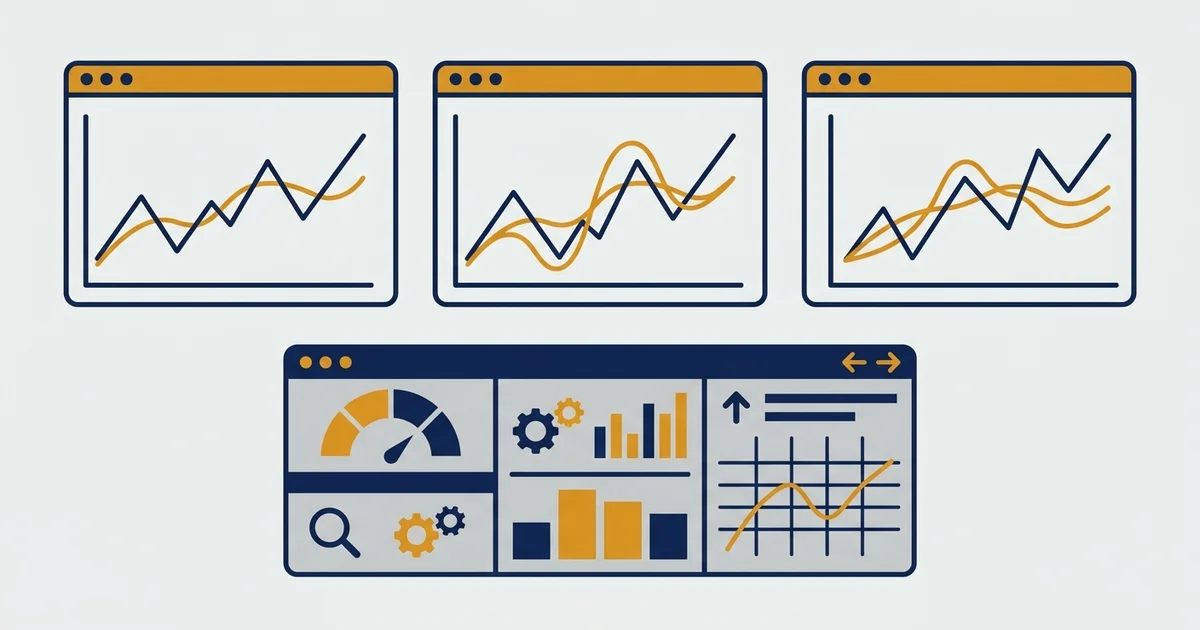

Why TradingView Became the Default
Walk into any trading forum and ask which charting tool people use. TradingView wins by a wide margin , not because of marketing, but because it solved a real problem: fast, clean charts without software installation.
It runs entirely in a browser. Your saved indicators, layouts, and chart templates follow you to any computer. For someone running systematic strategies across multiple assets, that portability matters more than most traders realize until they’ve lost a setup to a crashed local installation.
I started using TradingView in 2021 when I began building Pine Script backtests. Before that I was bouncing between MT4 charts and Python scripts, exporting data back and forth. Centralizing everything to TradingView saved roughly 2-3 hours per week on data management alone.
The platform covers forex, crypto, stocks, futures, and commodities. For traders focused on forex and crypto CFDs, everything you need is there without the noise of US-stock-focused platforms.
What the Free Plan Actually Gives You
Most reviews describe the free plan as “limited” without explaining what that limit means day-to-day. Here’s the concrete breakdown:
- 3 indicators per chart: enough for price + 2 confirmations (e.g., EMA + RSI + volume)
- 1 saved chart layout: one template, not a library
- 1 active chart per tab: no side-by-side timeframe comparison
- 15-minute delayed data on some exchanges (most major forex pairs are real-time via OANDA feeds)
- Full access to the public indicator library: any community script works, within the 3-indicator limit
For a beginner learning price action or reading basic indicators, the free plan is genuinely enough. I ran my first three months of EMA crossover research on the free tier. The constraint that actually slowed me down wasn’t the indicator count, it was the single-layout limit. I kept overwriting my BTC setup every time I switched to EUR/USD analysis.
If you’re doing anything systematic across more than one market, the free plan becomes a daily friction point.
TradingView Pricing: Which Tier Is Worth It
As of early 2026 when I last renewed:
| Plan | Price (annual billing) | Indicators per chart | Saved layouts | Key addition |
|---|---|---|---|---|
| Free | $0 | 3 | 1 | Basic charting |
| Essential | ~$15/mo | 5 | 5 | Alerts, no ads |
| Plus | ~$30/mo | 10 | 10 | Dual-chart per layout |
| Premium | ~$60/mo | 25 | Unlimited | Server-side alerts |
Check TradingView’s pricing page for current rates. They run annual billing discounts throughout the year.
My take: Essential covers most active traders. Plus is worth it if you trade more than one market simultaneously and want both timeframes visible. Premium is only justified if you need server-side alerts firing when your browser is closed.
I’m on Plus. The dual-chart layout (daily trend chart alongside my entry timeframe) changed how I structure setups. That one feature justified the upgrade within the first week.
The Real Reason to Pay: Pine Script Backtesting
Pine Script is TradingView’s built-in strategy language. It’s not as powerful as Python Backtrader for large-scale statistical testing, but it handles the core use case: test an idea on historical data, evaluate win rate and drawdown, iterate.
I’ve backtested over 40 strategies on TradingView since 2021. The most important warning I’d give any trader getting started: the built-in backtester has a lookback bias problem with indicators like RSI and MACD.
Here’s the specific issue. If your strategy fires an entry on the current bar using ta.rsi(close, 14), TradingView may calculate the indicator using that bar’s closing price before confirming the entry. In live trading, you don’t have the closing price until the bar closes, so the signal doesn’t exist when the entry fires. The backtest looks better than reality.
The fix: set process_orders_on_close = false in your strategy settings and always enter on the next bar’s open. Most Pine Script tutorials skip this step entirely.
After discovering this in late 2022, I re-ran my EMA crossover (9/21) backtest on BTC 1D with the corrected settings. Win rate dropped from 61% to 54%. Maximum drawdown held at 34%. That’s the real number, and it’s the one most strategy sellers don’t show you.
For a structured approach to testing before risking capital, see our guide to backtesting trading strategies.
Key Features Worth Knowing
Indicator library: TradingView has over 100,000 public community indicators. The quality range is wide, from well-maintained institutional-grade scripts to abandoned code from 2019 that hasn’t been updated for Pine Script v5. When I find a community script I want to use in a backtest, I rebuild it from scratch. Understanding what an indicator actually calculates matters more than trusting its published win rate. Our MACD indicator guide covers how to read one of the most common built-in indicators on TradingView before adding it to your chart.
Alerts: the free plan gives 1 active alert. Essential gives 20. If you want price notifications without watching screens, this is the primary reason to upgrade from free. Server-side alerts (Premium) fire even when your browser is closed. For systematic traders routing signals through webhooks, that matters.
Paper trading: TradingView has a built-in paper trading mode connected to live price feeds. It’s not as detailed as a dedicated paper trading simulator with full position sizing controls, but it lets you test entries and exits in real-time without capital at risk. I use it to sanity-check a strategy’s behavior before committing to a full Pine Script backtest.
Screener: the built-in crypto and stock screener is functional for quick scans. For forex pair filtering, it’s thin. I don’t use it as a primary tool for forex setups.
Multi-chart layouts: from Plus upward, you get multiple charts visible simultaneously. Traders doing top-down analysis (weekly for context, daily for trend, 4H for entry) benefit most from this. On Plus I run daily and 4H side by side for most of my analysis sessions.
TradingView vs Alternatives
MetaTrader 4/5: if your broker (XM, IC Markets, most retail forex brokers) provides MT4, you can chart there at zero additional cost. MT4 is better for live execution because it connects directly to your account. TradingView is better for strategy development and visual research. My current workflow: TradingView for analysis and backtesting, MT4 for execution. Both open simultaneously.
ThinkorSwim (Schwab): primarily US equity-focused and generally unavailable outside the US. Not relevant for forex and crypto traders in most regions.
For forex and crypto traders, TradingView is the clear choice for analysis. Execution still happens at your broker.
What TradingView Gets Wrong
Backtesting with tick data: the strategy tester uses bar OHLC data. For strategies on timeframes under 5 minutes, intrabar price movement matters and TradingView misses it. Python Backtrader with tick data is more accurate for anything sub-5-minute.
Order flow: TradingView has volume, but no depth-of-market, bid/ask book data, or footprint charts. Traders who rely on order flow need dedicated tools (Bookmap, Sierra Chart).
Automation: Pine Script strategies are manual by default. TradingView doesn’t execute orders automatically. You still click the entry yourself, or route signals through third-party webhook tools. For systematic traders who want fully automated execution, this is a real limitation.
I’ve accepted these limits. For my workflow, systematic strategy development and backtesting rather than automated execution, TradingView fits. If full automation is the goal, the tool stack looks different.
Common Mistakes New Users Make
Stacking too many indicators: free limits you to 3 per chart, but I’ve seen paid users load 10+. More indicators don’t increase accuracy. They create conflicting signals and slow your chart. Three indicators is a practical cap, not just a free-tier constraint.
Trusting backtester results without checking for lookback bias: as covered above. Always test with process_orders_on_close = false and enter on the next bar open. This single correction changed the outcome of multiple strategies I’d have otherwise traded with false confidence.
Setting commission to zero in Pine Script: the default commission in the strategy tester is 0. Add realistic costs before evaluating results. On a Standard account, that’s roughly 0.6-1.0 pip spread equivalent per trade. A strategy that shows profit at zero cost often doesn’t survive real conditions.
Skipping walk-forward testing: optimizing a strategy on historical data and immediately trading it live is how most systematic traders lose money. After the in-sample backtest passes, test the same settings on an out-of-sample period the strategy never saw. On my XAU/USD Supertrend system, 68% of the in-sample win rate held on 2024-2025 unseen data. That’s what passing validation looks like. Anything below 60% holdout rate I don’t trade.
Who Should Use TradingView
Use it if:
- You trade forex, crypto, or commodities and need fast, reliable charting
- You want to test strategy ideas without setting up Python infrastructure
- You do multi-timeframe analysis and want both timeframes visible simultaneously
- You share chart ideas with a community
Look elsewhere if:
- You need fully automated strategy execution
- You trade on tick data under 5-minute timeframes
- You depend on order flow or depth-of-market data
For most traders learning systematic approaches before going live, TradingView is the right starting point. The free plan gives you enough to build the habit. Essential or Plus is worth it once you have a repeatable workflow.
FAQ
Is TradingView free to use?
Is TradingView good for forex trading?
What is Pine Script and do I need to learn it?
How accurate is TradingView's backtesting?
Is TradingView worth the paid plan?
Can I use TradingView with a forex broker?
What's the best alternative to TradingView for backtesting?
Does TradingView allow AI trading?
Real-time trade setups with entry, stop loss and take profit. Daily market analysis. No subscription, no complicated theory.
🌍 Our recommended brokers


Reader Reviews
The lookback bias warning in the backtesting section is the reason I found this article worth bookmarking. I had been running a MACD crossover system on EUR/USD with process_orders_on_close set to true for eight months, and my Pine Script showed a 64% win rate. After reading this and correcting the calculation order to fill on the next bar open, the same strategy dropped to 51%. That number still shows a positive edge after commissions, but the 13-point difference would have led me to size the position far larger than the actual edge justified. I re-ran the same correction on three other strategies. Two became breakeven after the fix. The third held up at 58% and I now trade it live on XAU/USD. Last three months finished at +7.4%, +6.8%, and +8.1%.
Upgraded from free to Essential specifically for the alerts. The 1-alert limit on free made it impossible to monitor more than one setup at a time. At 20 alerts on Essential I can track all the levels I want without staying at the screen. Worth the monthly cost for that alone.
The dual-chart layout point is accurate. I was running analysis on a single timeframe for most of my trading career, switching tabs when I needed the weekly view. Moving to Plus and running daily alongside 4H cut my false signal rate on EUR/JPY setups by a measurable amount - I stopped entering trades where the higher timeframe trend was actually against me. The one thing this article does not cover is how to align both charts to the same pair automatically. You set it up once per layout and it holds, which took me about a week to figure out.
The walk-forward testing section is the single most important part of this article for anyone moving from indicator theory to actual strategy development. I spent four months building and optimizing a Supertrend system on BTC, got to 72% win rate on in-sample data, and immediately started testing it live. Three weeks in I hit a 14% drawdown and had no idea why. The issue was exactly what this article describes - parameters that only worked on the data I used to build the system. After reading this, I rebuilt the strategy with a clean two-year in-sample window and a separate six-month validation period. The validated strategy held 64% on unseen data. I paper traded it for another month before going live. Running at +6.9% monthly average over five months since then.
The 3-indicator limit on the free plan is less constraining than I expected. I ran price action analysis with just EMA 21 and volume for the first two months on EUR/USD without hitting a wall. Only upgraded to Essential when I needed more than one saved chart layout for different markets. The article is honest about where the free plan ends and the upgrade pays off.
The two-platform workflow described here - TradingView for analysis and MT4 for execution - is exactly what I switched to after trying to manage everything from MT4 charts alone. The MT4 charting environment is functional but limited compared to TradingView. Running both is two extra windows, but the analysis quality improved immediately. My setup time per trade dropped from about 20 minutes of chart configuration in MT4 to 5 minutes in TradingView where my layouts are already saved. Have been running at +7.1% monthly average for the past quarter on GBP/USD and XAU/USD.
This article gave me the exact correction I needed for a system I had been developing for six months. I was testing an EMA 9/21 crossover on BTC daily data in Pine Script and getting a 59% win rate - enough to get excited. After applying the process_orders_on_close fix described here, the same strategy on the same data gave me 52%. I also added realistic commission - 0.1% per trade on Binance spot - and the true win rate after costs settled at 48%. That is not an edge. I shelved that system and started testing on 4H with different entry conditions. After six iterations, got to 57% with commissions on BTC 4H, validated on 2024-2025 out-of-sample data. Now running it live at +6.4% monthly average over four months.
Used TradingView paper trading for three months before committing capital to any strategy. The connection to live feeds makes it realistic in a way demo accounts on broker platforms do not. What I found was that my win rate in paper trading was consistently 4-5 percentage points higher than in live conditions on the same setups. The article could mention this gap more explicitly. That difference matters when you are deciding whether a 55% backtested win rate is actually tradeable with real capital.
Leave a Review

Quant Researcher & Systems Builder
Quantitative researcher who builds the automated systems behind Arxum strategy testing. Works in Python and Pine Script, using AI alongside classic backtesting to validate strategies on years of real data.